
Featured
 Funded Futures Network
- Trade up to 5 funded accounts at one time
- 80% to 90% profit split on payouts
- Multiple evaluation programs
- 40% consistency rule
Code PFD · save up to 70% off
Get the deal From the makers of this calculator: Edge Trader Tools plans, sizes and places your NinjaTrader orders with stop and targets attached.ETT for NinjaTrader: size + brackets
Should you calculate position sizes manually or let software do it? A practical comparison.
By Jordan C.Updated October 27, 2026Methodology
NinjaTrader doesn't include built-in position sizing tools beyond basic quantity entry. You can calculate manually, use a web calculator, or install an add-on to automate the process. This guide compares the approaches and shows when each makes sense.
If you trade 1-3 times per week, use the same stop size consistently, and trade a single instrument (e.g., always ES with a 10-point stop), manual calculation is fast enough. You already know your size without calculating.
Example: Simple System
$50K account, 1% risk, always 10-point stop on ES:
$500 risk ÷ $500/contract = Always 1 contract
No calculator needed until your account grows or your system changes.
Use a web calculator like this one if:
Automated tools shine when:
Assume an automated tool costs $50/month. Is it worth it?
Scenario: One Sizing Error Per Month
You meant to trade 2 ES but accidentally entered 20 (typo in fast market).
Market moves 5 points against you before you notice.
Loss: 18 extra contracts × 5 points × $50 = $4,500 mistake
Even if this happens once per year, the tool pays for itself 10x over.
If manual sizing takes 30 seconds per trade and you trade 100 times/month:
Many traders use both:
This gives you the best of both: education and verification from manual tools, plus speed and safety in live trading.
Before paying for an add-on:
Most NinjaTrader add-ons offer free trials — test them with simulated trading before committing.
Popular NinjaTrader Position Sizing Tools:
Edge Trader Tools (disclosure: developed by this site's maintainer) • NinjaTrader Ecosystem (search "position sizing")
Disclosure: This calculator is maintained by the developer of Edge Trader Tools, a NinjaTrader add-on. The calculator is free and platform-independent.
From the makers of this calculator From plan to filled brackets, inside NinjaTrader
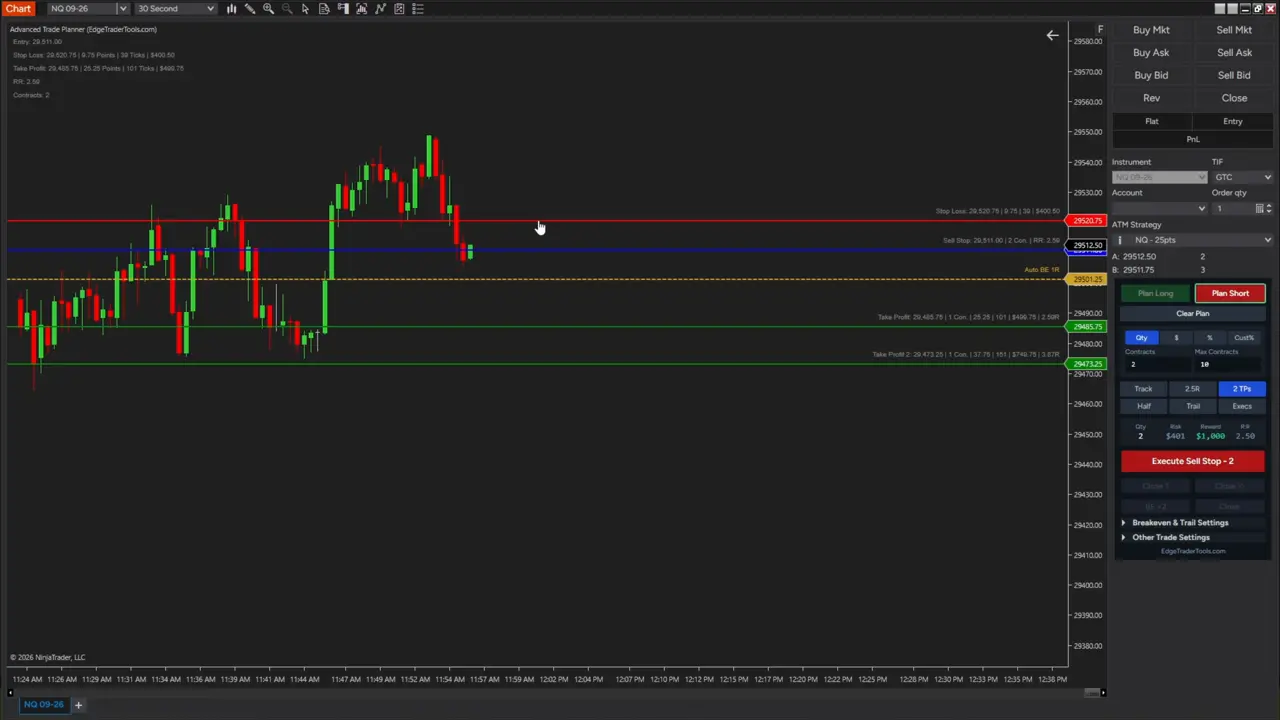
Plan the trade on your NinjaTrader chart, then execute it with one click. Edge Trader Tools does the same math as this calculator, then places the order: stop and targets attach the moment you fill, so there's no window where the position is unprotected.
Live sizing as you drag
Drag entry, stop and target lines. Contracts, dollar risk and R:R update as you move them.
One-click execute with brackets
Sends a limit, stop or market order with your stop and up to 3 take profits attached as OCO.
Manages the trade for you
Auto breakeven, trailing stop, close half or 1 contract, and a half-risk button.
Built for prop accounts
Cust% risks a percent of the balance you enter, like your drawdown, with a max-contracts cap.
 Get Edge Trader ToolsTry NinjaTrader free
$149 one-time · lifetime updates · 7-day money-back
Trade your size with a prop firm's capital.
Featured
Funded Futures NetworkCode PFD · save up to 70% off
Get the deal propfirmdirectory.com
Rules, drawdown types, max contracts and account discounts side by side.
Browse all prop firms